
Download the official fd222 app and enjoy slots, Live Casino, and more anytime, anywhere. Fast installation, smooth performance, and secure gaming.
The fd222 app is available on both Android and iOS
The fd222 app works on any device running Android 6.0 or above. Download the APK file and install it directly — the whole process takes about 3 minutes.
Use the fd222 app on iPhone and iPad without interruption. Full support is available on iOS 12 and above, with smooth animations and fast loading guaranteed.
You can also use fd222's mobile site without downloading the app. Play directly in Chrome, Firefox, or Safari — no installation needed.
Install the fd222 app on your Android phone in just a few simple steps
Go to Settings on your Android phone and tap "Security" or "Privacy".
Enable "Install unknown apps" or "Unknown sources" — this is required to install APK files.
Download the file from fd222's official APK link and wait for the download to complete.
Tap the downloaded APK file from your notification bar or file manager.
When the installation prompt appears, tap "Install" and wait for the process to finish.
Once installation is done, tap the fd222 app icon, log in, and start gaming.

Install the fd222 app on iPhone or iPad with ease
Open Safari on your iPhone and go to the fd222 download page.
Tap the iOS download button — it will either redirect you to the App Store or begin installation directly.
Go to Settings > General > VPN & Device Management and trust the fd222 profile.
Tap "Install" and confirm with your Apple ID password or Face ID.
The fd222 icon will appear on your home screen. Download and installation will complete automatically.
Open the fd222 app from your home screen. Log in to your account and enjoy gaming.
Why download the fd222 app — the key reasons you should know
Games load up to 3x faster in the app than in a browser. No waiting around.
Get updates on new bonuses, tournaments, and promotions delivered straight to your phone.
Log in quickly and securely using your fingerprint or Face ID.
The optimized app uses less mobile data, so it runs even on slower connections.
Full SSL encryption. Your data and transactions are completely secure.
Dark mode activates automatically for late-night sessions — easy on the eyes.
New features and security updates are installed automatically.
You can reach live chat support directly from within the app.
Device requirements to run the fd222 app
| Specifications | Android | IOS | Mobile Browser |
|---|---|---|---|
| Minimum OS | Android 6.0+ | IOS 12.0+ | Any modern OS |
| Storage | 45 MB free space required | 52 MB free space required | Not required |
| RAM | At least 2 GB | At least 1 GB | Any |
| Internet | 3G / 4G / Wi-Fi | 3G / 4G / Wi-Fi | 3G / 4G / Wi-Fi |
| Device | Compatible with Samsung, Xiaomi, Oppo, and all major brands | IPhone 6s and later | All smartphones & tablets |
| Biometric Login | ✓ Supported | ✓ Supported | Limited |
| Push Notifications | ✓ Supported | ✓ Supported | Not applicable |
| Auto Update | ✓ Supported | ✓ Supported | Always Up to Date |
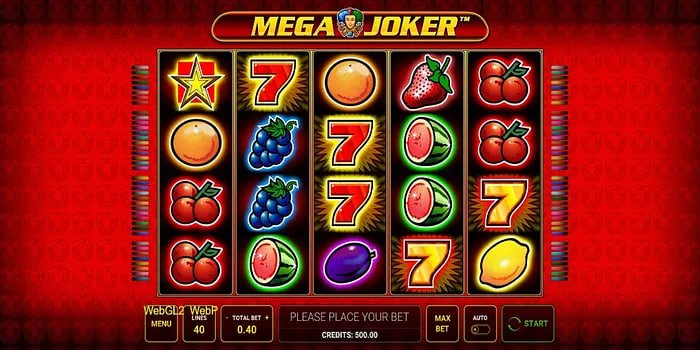
Online gaming in Bangladesh is no longer limited to desktop. Most people now play on mobile — and that's exactly why fd222 The app is built with a fully mobile-first experience in mind. Whether you're on the bus, on a work break, or relaxing at home, the fd222 app is the perfect companion.
The app experience is a step above playing in a browser. No page reloads, no repeated logins, and games load much faster. fd222The interface is designed so that everything is clear and easy to navigate, even on a small mobile screen.
Enabling "Unknown sources" is a normal step when installing an APK on Android. Just make sure you only download the APK from fd222's official site — downloading from third-party sites may pose security risks.
The majority of smartphone users in Bangladesh use Android devices. fd222The Android APK runs smoothly on Samsung Galaxy, Xiaomi Redmi, Oppo, Realme, Vivo, and most other popular brands. Graphics quality adjusts automatically based on your device's performance, so the app runs well even on mid-range phones.
Something many people don't know — fd222The APK file is digitally signed and free of malware. You're welcome to run an antivirus scan if you'd like — the file is completely safe.
IPhone users will enjoy an exceptionally smooth gaming experience with the fd222 app. Paired with Apple's powerful hardware, fd222Combined with optimized code, the app runs exceptionally fast on iPhone. Game animations, spin effects, and Live Casino video streaming all feel noticeably smoother compared to other platforms.
The Trust Profile setup step during iOS installation is a little different, but it only needs to be done once and won't be required again. fd222's support team is always ready to help you through the process.
If you'd rather not download the app for any reason, that's completely fine. fd222The mobile website is fully responsive and touch-friendly. Opening the site in Chrome or Safari gives you an experience just like the app. Slots, Live Dealer games, deposits, and withdrawals all work seamlessly in the browser too.
One added perk of the app is push notifications. Whenever a new promotion or special offer drops, you'll get an alert straight to your phone — so you'll never miss a deal. fd222 fd222 regularly offers new bonuses and cashback deals — and with the app, you'll always hear about them in time.
fd222All user data in the app is fully encrypted. Login credentials, banking details, and personal information are never shared with third parties. The app uses SSL/TLS encryption — the same standard as banking apps. The biometric login feature adds an extra layer of security, so even if someone gets hold of your phone, they can't easily access your account.
To learn more about our privacy policy, visit our Privacy Policy page. fd222 Never shares your personal information with third parties.
fd222The app receives regular updates, each bringing new games, performance improvements, and security patches. With auto-update enabled on Android, everything happens automatically. On iOS, updates are available through the App Store. Running the latest version ensures the best performance and access to all new features.
Download the fd222 app and enjoy gaming responsibly — always play within your limits. The app lets you set spend limits and session timers. To learn more about responsible gaming, visit our Responsible Gaming page.

Common questions about the download